Integrated Terminal
K8Studio gives you a terminal that stays close to the cluster you are already working on. Open a shell inside the app for fast kubectl, Helm, and debugging tasks, or launch the same context in your external terminal when you want your usual desktop workflow. You can choose the shell that fits your environment, keep the correct kubeconfig attached to the session, and move from the visual interface to the command line without losing context.
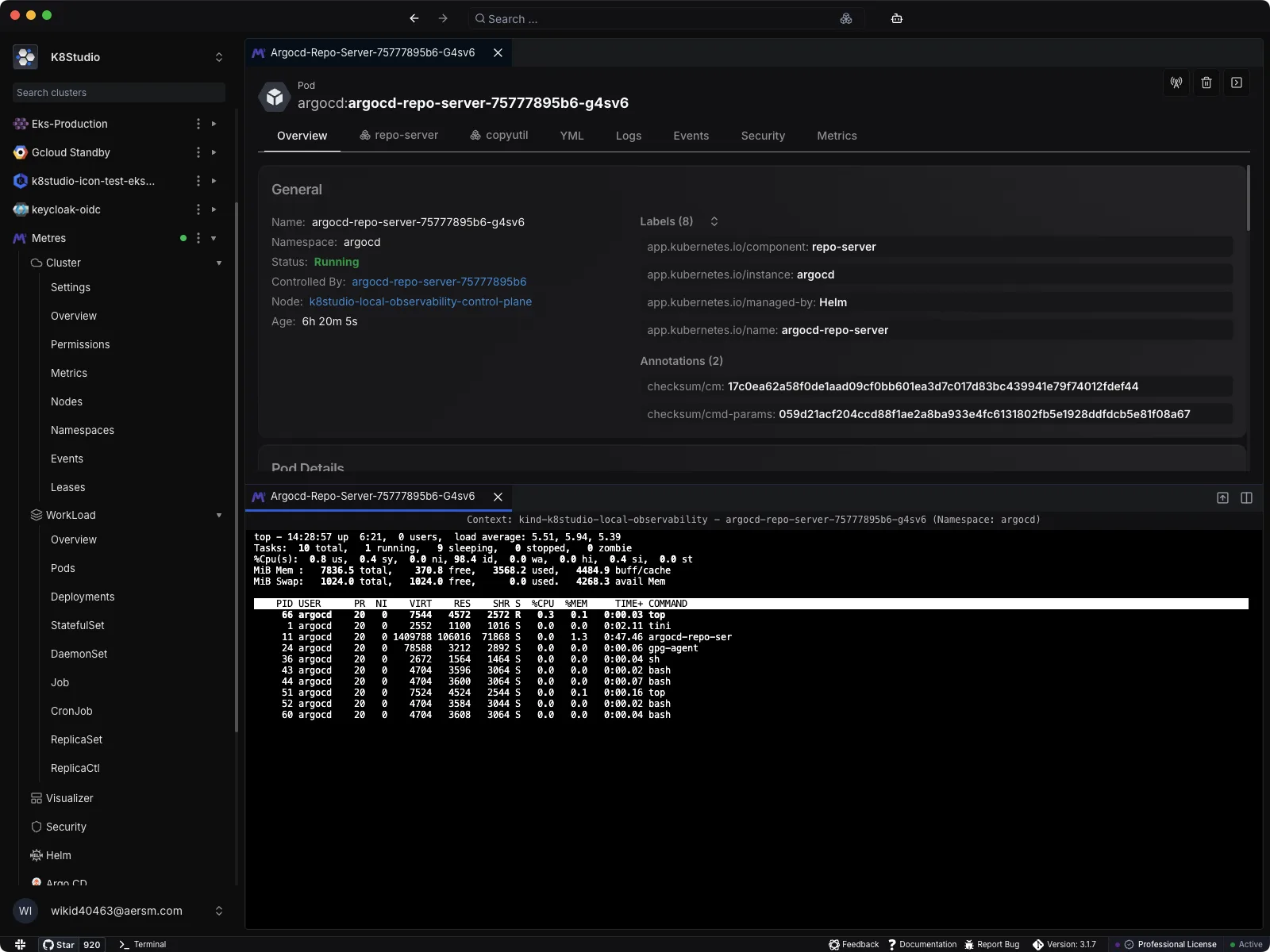
K8Studio’s terminal is built for the moments when a visual action is not enough. You can inspect resources in the UI, then drop straight into a shell to run kubectl, Helm, port-forwarding, rollout checks, log filtering, or one-off maintenance commands without manually rebuilding context.
What the integrated terminal does
- Works inside your cluster workflow: Open a terminal directly from the app and keep working without switching away from the cluster, workload, or troubleshooting path you already have open.
- Uses the right Kubernetes context: K8Studio prepares the session with the matching kubeconfig so commands target the cluster you selected instead of whichever context happened to be active elsewhere.
- Supports your preferred shell: You can choose the shell you want to use for terminal sessions, including platform-native options such as PowerShell on Windows or Bash and zsh on macOS and Linux.
- Lets you open an external terminal too: If you prefer your own terminal application, K8Studio can launch an external terminal window and carry the same cluster context into that session.
- Handles pod shell access faster: When you open a shell for a Pod, K8Studio helps you jump into the container and falls back across common shell paths such as
/bin/bash,/bin/sh, and/busybox/sh.
Why teams use it
- Fewer context mistakes: You spend less time checking kubeconfig files, namespaces, and cluster targets before running commands.
- Better incident flow: Investigate an object in the UI, open a terminal, test a fix, and go back to the visual view without breaking concentration.
- Flexible for every operator: Some users want a built-in terminal next to the interface, while others want iTerm, Terminal, GNOME Terminal, Konsole, or PowerShell. K8Studio supports both approaches.
- Useful across daily operations: Run kubectl describe, exec into Pods, inspect rollout status, test network access, review logs, and manage Helm releases from the same workspace.
Integrated when you want it, external when you need it
The goal is not to force a new terminal habit. K8Studio gives you a terminal inside the app for speed and convenience, while still letting you use your normal desktop terminal setup and shell preferences whenever that feels better for the task at hand.